


If your wireless headphones will not pair with your metal detector, charge and reboot both units, put the headphones in pairing mode (instead of just powering them up), delete any old connection they are holding, and make sure the headphones use the same wireless system as your detector. Not every detector uses standard Bluetooth. If your detector only has a wired headphone socket, you will need a compatible wireless transmitter or audio module before any wireless headset will connect.
Most pairing failures are not a hardware fault. They either drop into pairing mode, an old connection that the headphones are still holding onto, or headphones that were not designed to talk to that detector. Garrett Z-Lynk, XP wireless, Minelab ML85, and Nokta Bluetooth headsets all handle wireless audio differently. A headset that works perfectly on one machine may be invisible to another. Here are five steps to try before you buy a new pair.
The most common causes we see at the counter:
- The headphones are switched on but not in pairing mode.
- The headphones are still connected to a phone or another detector.
- The headphones use a different wireless protocol than the detector.
- The headphones or the detector is low on charge.
- The detector has a wired socket only and needs a transmitter or audio module.
- The detector's wireless option was never enabled in the menu.
- An adapter or connector is being asked to do something it cannot do.
Wireless headphones being compatible with one metal detector does not mean they will work with another, even from the same brand. Check the detector's wireless system first, then choose headphones to match it.
How to Fix Wireless Headphones That Won't Pair in Five Steps
Run these in order: Each step removes one possible cause, so by step five you'll know whether you have a settings problem, a compatibility issue, or you need more hardware to make your detector wireless at all.
1 Charge and Restart Both Devices
"First thing, you go to the easy cause. The symptom is a pairing fault rather than a flat battery, because wireless headphones often have enough charge to turn on and flash an indicator but not enough to hold a connection. Plug the headphones into the charger and leave them until you see a full charge indication and check the battery level on your detector at the same time.
Then turn off both units completely. Not sleep, not standby, just off. First turn on the detector, then the headphones, and wait ten seconds. A cold restart can clear out a half-finished connection attempt that the headset may be stuck in, which is why a second pairing attempt often works when the first one didn’t.
While you’re at it, switch off Bluetooth on any phone or tablet within a few meters. Those devices will grab a paired headset the second it powers up, and the headphones will be invisible to your detector even if they’re working just fine. Do this before attempting anything more complex, as this alone will solve a surprising number of pairing calls.
2 Put the Headphones Into Pairing Mode
You can't just turn on a pair of headphones and expect them to enter pairing mode. Most wireless headsets transmit for a limited amount of time, and many need a dedicated button, a long press, or a combination of two buttons to activate them. If you just hit power and wait, the detector has nothing to find.
Look for the confirmation, then check your exact model’s manual. This is usually a fast-flashing light, an alternating color, or a spoken or tonal prompt. If the indicator starts to blink slowly or turns solid, the pairing window has closed, and you need to activate it again. On the detector side, open the wireless or audio menu and start its own search at the same time, so both units are looking for each other in the same window.
3 Clear Previous Connections
Most wireless headphones will remember the devices they’ve been paired with and will automatically connect to a remembered device the second they power up. If your headset was paired with your phone last weekend, that old bond can win the race and block the detector before you ever get a chance to pair.
Switch off the Bluetooth on all nearby phones, tablets, watches, and truck stereos, then power the headphones down and back up again. If your model has a method of clearing its pairing memory (typically a long press on the power or pairing button until the indicator changes color), use that. This clears the stored list and the headset will then search for a new one. Finally, delete the headphones from the list of saved devices in the phone so it isn’t grabbing them on your next trip.
This step also gives you a useful diagnosis: If the headphones connect to a phone without problems but still do not connect to your detector, the headset is not the problem. What you are looking at is a compatibility problem, and that is what step four is for.
4 Match the Headphones to Your Detector's Wireless System
This is the most common missed cause of a failed pairing. Not all metal detectors use standard Bluetooth. Some manufacturers use their own wireless protocols to keep audio delay low, and those systems will not work with a standard Bluetooth headset, no matter how many times you reset it.
Refer to the table below to find your detector and see which wireless system it uses. Troubleshooting will not get them paired if your headphones are not intended for that system.
| Detector brand | Popular models | Wireless system | Headphones to look at |
|---|---|---|---|
| Garrett | AT MAX, ACE Apex | Z-Lynk | Garrett MS-3 Z-Lynk |
| XP | DEUS II, ORX | XP wireless protocol | XP WSA II XL |
| Minelab | MANTICORE, EQUINOX 700 and 900, X-TERRA PRO | Minelab low-latency wireless | Minelab ML85 |
| Nokta | Legend, Score, Simplex ULTRA, Simplex BT | Bluetooth with aptX Low Latency | Nokta Bluetooth wireless headphones |
| Any wired-only detector | Older and entry-level machines | None built in | Wireless module plus matching headphones |
The Garrett MS-3 Z-Lynk headphones are a good example. They carry a built-in Z-Lynk receiver rather than working like an ordinary Bluetooth headset, which is exactly why a phone-grade headset will not stand in for them.
5 Check Whether Your Detector Needs a Wireless Module
If your detector only has a wired headphone socket, there is nothing for wireless headphones to plug into. No arrangement of pairing will help, because the detector is not giving out anything. You need a wireless transmitter or audio module that plugs into the headphone socket and sends the audio.
Metal detector → wireless transmitter or module → wireless headphones
The transmitter must be a bi-directional match. You’ll need the proper physical connector for your detector’s jack, and it must operate on the same wireless protocol as the headphones that will be listening to the audio. Usually people buy a transmitter and a headset separately, from different systems, and end up with two pieces of gear that won’t talk to each other.
A cheap Bluetooth dongle plugged into a detector usually outputs audio, but the delay can be bad enough to alter your swing. That’s why a kit built for detecting, like the Garrett Z-Lynk transmitter and headphone kit, is designed as a matched set.
Wireless Headphones by Detector Brand
Once you know which wireless system your detector uses, choosing headphones gets simple. Here is what to look for on each of the four main systems.
Garrett Z-Lynk
Garrett’s Z-Lynk keeps audio delay low across compatible machines. The MS-3 has the receiver built in, so on an AT MAX or ACE Apex there is no transmitter to buy. If those two don't pair, make sure the headset is actually a Z-Lynk before you change any Bluetooth settings. You’ll also need the WT-1 transmitter for wired-only Garrett machines like the AT PRO, ACE 400 and ACE 300 which is what the kit below covers. It also bundles the Pro-Pointer AT Z-Lynk, so your pinpointer runs through the same headphones.
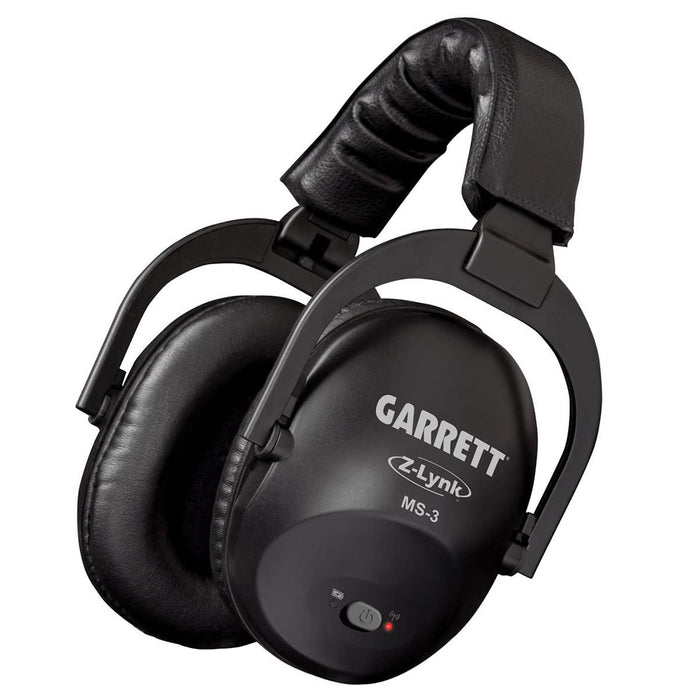
Garrett MS-3 Z-Lynk Headphones for AT MAX and Apex
Built-in Z-Lynk receiver, volume control on the cup, foldable frame and USB charging.
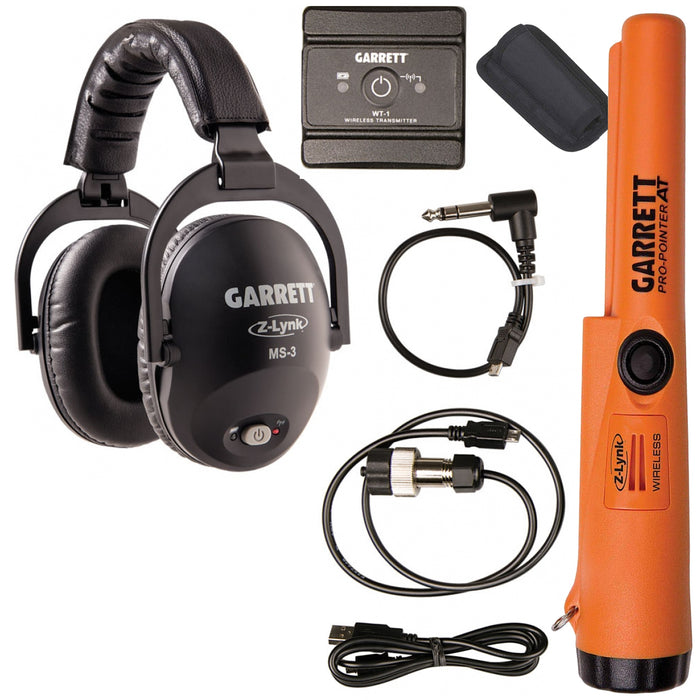
Garrett MS-3 Z-Lynk Kit with Pro-Pointer AT Z-Lynk
MS-3 headphones, WT-1 transmitter, Pro-Pointer AT Z-Lynk, plus the 2-pin AT and 1/4-inch cables. Fits the AT PRO, ACE 400 and ACE 300, or any detector with a 1/4-inch jack.
XP DEUS II and ORX
XP says it runs its own protocol over the DEUS II and ORX platform and that it’s much faster than low-latency Bluetooth. The WSA II XL is the full-size headset designed for it. Standard Bluetooth headphones will not connect to that system at all. If you have been trying to pair a set from your phone, this is your answer.
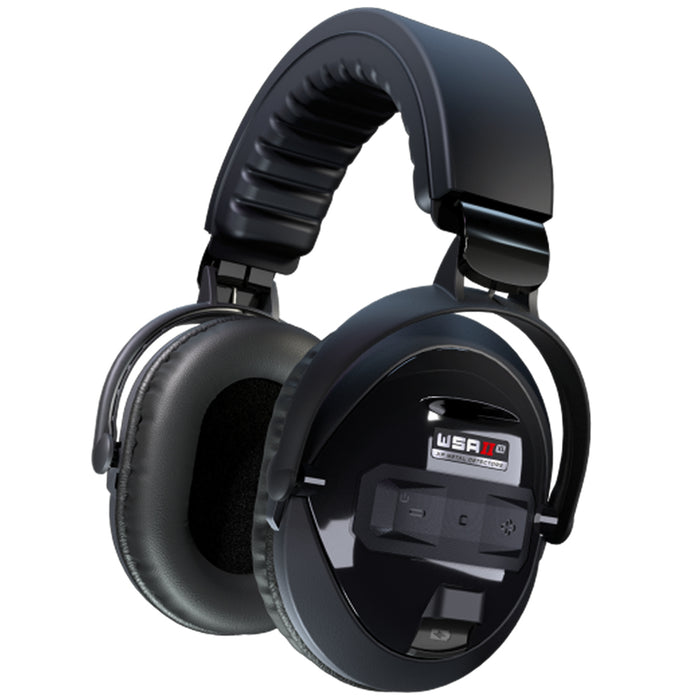
XP WSA II XL Headphones for DEUS II
Foldable, 250 g, rainproof to IP68, with a 4-band equalizer and 10 volume levels. Made in France, five year warranty.
Currently out of stock. Check the product page for restock.
Check the WSA II XLMinelab EQUINOX and MANTICORE
The ML85 is the headset for Minelab’s current low-latency system. If this does not connect, restart both units and pair again with headphones close to the control box. Then verify the model name on the headband, as older Minelab headsets from previous detector generations are not compatible with it.

Minelab ML85 Wireless Headphones
Low-latency wireless headphones for the MANTICORE, EQUINOX 700 and 900, X-TERRA PRO and X-TERRA ELITE.
Nokta Legend and Score
Nokta has a different approach, using Bluetooth with aptX Low Latency. These are Bluetooth so the usual housekeeping is more important than it is on the proprietary systems. Remove the previous headset from the detector's Bluetooth list, keep your phone's Bluetooth off while pairing and start the search from the detector's settings menu.
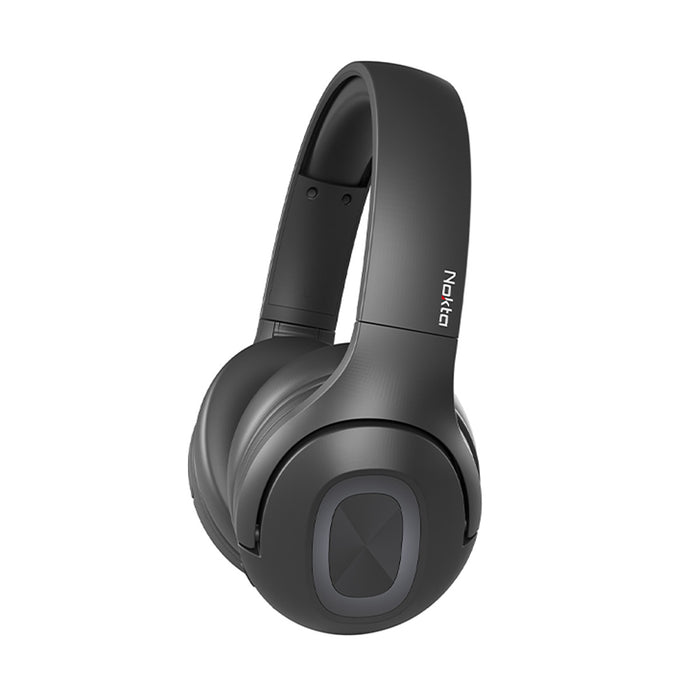
Nokta Bluetooth Wireless Headphones
Over-ear headphones with aptX Low Latency and Bluetooth 5.0. Listed for The Legend, Score, Double Score, Simplex ULTRA and Simplex BT, plus other Bluetooth-enabled detectors including the EQUINOX 600 and 800.
Every compatible option is in the Detector Warehouse headphone collection.
Latency, Modules and Adapters
Latency is the time from the detector giving a target response to you hearing it in the cups. As that gap widens, the sound is no longer aligned with where the coil actually is, so you sweep over a target and hear it a moment after you have gone over it. It shows up most when you are sweeping fast, splitting two closely spaced targets, pinning down before you cut a plug, or working heavy iron where the subtle tonal shifts are what separate a good target from junk.
That's why manufacturers built their own wireless systems instead of using stock Bluetooth. Bluetooth was designed for music and calls where a fraction of a second delay is not critical. Finding is more like playing an instrument, because the sound has to get there while the coil is still over the target for your ears to place it correctly. For casual park and beach hunting, most people never notice the difference. It appears in iron-rich ground and on deep weak signals.
Adding a module to a wired-only detector has its own checks. Ensure the transmitter's connector matches your detector's socket, the protocol matches the headphones that will receive the audio, and that the pair is designed for low-latency audio and not music streaming. Connectors are different too; detectors use 3.5 mm, 1/4 inch, and sometimes proprietary waterproof sockets, so a headset designed for one will not physically fit another.
A 1/4-inch to 3.5 mm adapter changes the plug size and nothing else. It will not make two incompatible wireless protocols talk to each other, and it will not turn a wired-only detector into a wireless one. For that you need a transmitter. If your machine is waterproof, check the socket rating first, because a standard adapter can compromise the seal.
Frequently Asked Questions
Why won't my wireless headphones connect to my metal detector?
The usual causes are headphones that were switched on but never put into pairing mode, an old connection to a phone that is blocking the new one, incompatible wireless technology, a low battery on either device, or a detector that needs a separate wireless transmitter.
Can I use regular Bluetooth headphones with a metal detector?
Not always. Garrett, XP and Minelab use their own wireless systems rather than standard Bluetooth on most current machines, so an ordinary Bluetooth headset will not pair with them at all. Nokta machines like the Legend and Score do use Bluetooth, so a standard headset can connect, though the audio delay may be higher than with a low-latency set.
How do I put my headphones into pairing mode?
It is usually a long press on the power or pairing button until the indicator flashes quickly or changes colour, rather than a short press to switch on. Check the manual for your model and start the detector's own wireless search at the same time.
Why is there a delay in my wireless metal detector headphones?
That delay is audio latency, the gap between the detector producing a target response and the headphones playing it. Standard Bluetooth carries more of it than detector-specific low-latency systems, which is why manufacturers built their own wireless protocols.
What headphones work with Garrett Z-Lynk?
The Garrett MS-3 Z-Lynk headphones are built for the Z-Lynk system and are listed for the Garrett AT MAX and ACE Apex. On wired-only Garrett machines such as the AT PRO you also need the WT-1 transmitter, which comes in the MS-3 kit.
Do I need an audio module for a wired metal detector?
Yes. If the detector only provides wired audio, you need a compatible wireless transmitter or audio module plugged into the headphone socket before any wireless headphones can receive sound from it.
Can an adapter fix headphone compatibility?
An adapter only changes the physical plug size, for example 1/4-inch to 3.5 mm. It cannot make incompatible wireless protocols communicate and it cannot add wireless capability to a wired-only detector.
Ready for Your Next Detecting Trip?
Check compatibility before you replace anything. A charge, a proper pairing sequence and a cleared connection list solve most of these calls. If your detector runs its own wireless system, buy headphones built for that system rather than hoping a general Bluetooth set will keep up.
Leave a comment